
Real-time visibility, prompt response, and seamless collaboration between teams are critical priorities for maintaining effective GRC programs. But today’s GRC platforms usually limit connectivity through rigid workflows and fixed integrations. 6clicks redefines modern GRC with its latest innovation: custom-built event triggers and actions, which equip organizations with next-level automation capabilities to extend and improve their risk workflows. Learn what makes this new feature a game changer in the GRC space:
What’s new: Enhanced workflow automation and integration
6clicks’ Custom Workflow Builder just got a major upgrade with pre-built triggers and actions for common risk workflows. These out-of-the-box integration recipes allow users to automatically set processes in motion based on key workflow events and sync data seamlessly with platforms such as Jira and Microsoft Teams, along with other enterprise systems across your tech stack.
Custom triggers include:
- Risk created – Triggered when a new risk is created
- Risk updated – Triggered when details or fields within a risk are updated
- Risk owner changed – Triggered when a risk is assigned, reassigned, or unassigned to a user
- Risk workflow stage updated – Triggered when a risk moves from one stage to another
- Risk custom field changed – Triggered when an individual custom field is updated
- Risk assessment created – Triggered when a risk assessment is created
- Risk treatment plan created – Triggered when a risk treatment plan is created
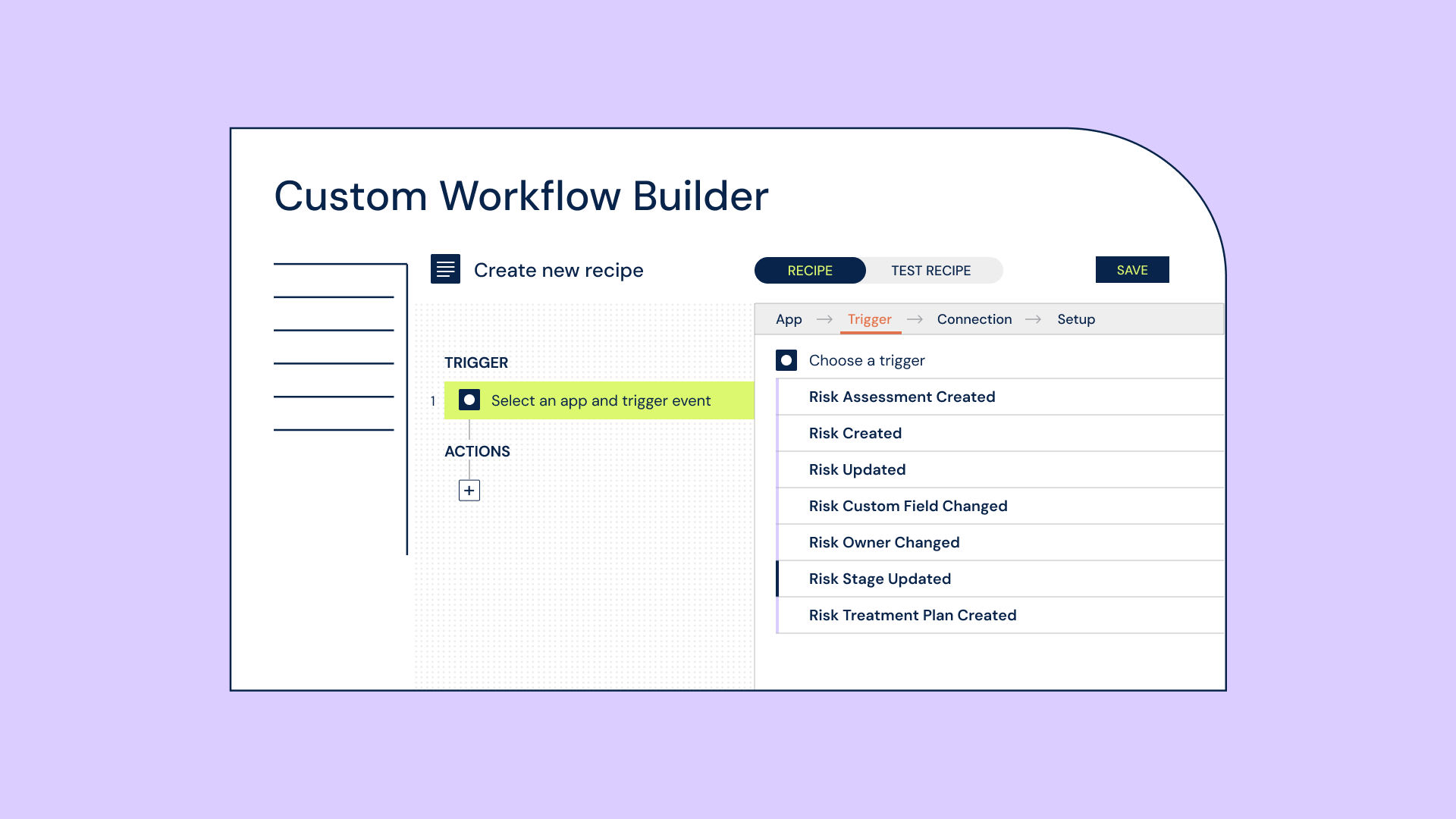
Using our intuitive drag-and-drop connector interface for no-code integration setup, you can easily define the actions that will be executed when these triggers are activated in real time. Custom actions include:
- Create risk – Automatically create a new risk
- Assign risk owner – Automatically assign or reassign owners to new and existing risks
- Add comment/attachment – Automatically attach comment(s) or file(s) to existing risk records from external sources
- Change risk stage – Automatically move risks across workflow stages with human validation built in
- Update risk – Automatically update specific fields within risk records without impacting core data
- Create risk assessment – Automatically create assessments linked to new risks
- Update risk assessment – Automatically update assessment data across Spokes
- Create/update custom register items – Automatically create or update assets, issues, and other custom register items, including support for custom fields
Key use cases
Leverage 6clicks’ custom event triggers and actions in various real-world applications. Some examples include:
- Automated vendor assessments: Using the 6clicks custom register for vendor assessment tracking, automatically create a new vendor record in NetSuite when an assessment is marked “Approved,” while simultaneously sending a Slack notification to your procurement team and updating your tracking spreadsheet in Google Sheets—all without manual intervention.
- Automated risk response and escalation: Get instant notifications via Slack or Microsoft Teams when defined risk thresholds are breached, automate risk stage transitions, and assign risks to the right team members, ensuring timely response and consistent risk handling across your organization.
- Automated ticketing and orchestration: When a risk assessment score exceeds a critical threshold, automatically create a Jira ticket for the risk owner, send Slack notifications to relevant stakeholders, and update the risk register in ServiceNow, ensuring coordinated response across systems.
Why this matters for organizations
With unlimited integration capabilities, organizations can streamline cross-departmental workflows and strengthen risk management in several ways:
- Proactive risk handling: Automate workflows and get custom notifications when new data is created or when changes take place, enabling real-time risk response.
- Operational efficiency: Create and update records without manual data entry, perform actions in bulk, and easily access detailed changelogs for every updated record. This reduces administrative overhead, improves visibility, and ensures traceability.
- Enhanced system integration: Extend risk management capabilities across your enterprise toolchain through bidirectional data synchronization with external systems.
- Intelligent workflow orchestration: Enable end-to-end workflows with event-driven automation and coordinated actions, providing flexibility for custom integration scenarios.
- Full module support: Easily build automated workflows that support data management across both risk registers and custom registers.
Overall, this capability enables more intelligent GRC, driving faster, more efficient processes while improving visibility and control.
Build smarter GRC workflows with 6clicks
See how custom event triggers and actions can automate your risk workflows, connect your systems, and streamline operations across your organization.